Photo tagging for Android

Tag your photos the moment you take them.

Snap a receipt, a whiteboard, a thing to remember. SnapTag asks what it is in a notification, one tap tags it, and you can find it again later. Everything stays on your phone.

  • Receipt
  • Work
  • Home
  • To-do
  • Family
Coming soon to Google Play

Free · No account · No ads · No internet access

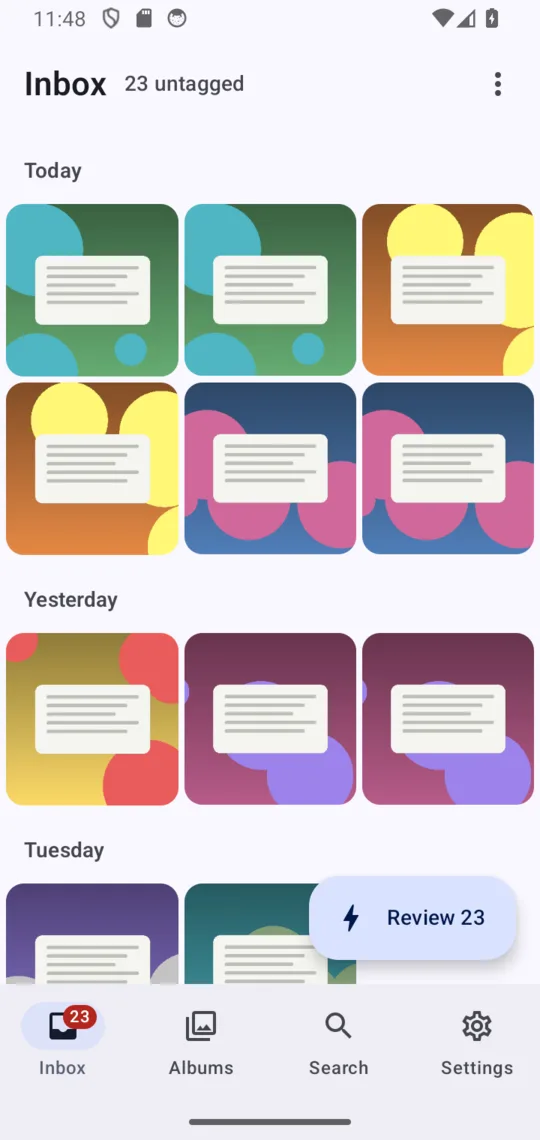
SnapTag inbox: 23 untagged photos in a grid grouped by Today, Yesterday and Tuesday, with a Review button.

Three steps, about three seconds

Keep using your normal camera. SnapTag works on top of your gallery and never copies or moves a photo.

  1. Take a photo

    Use your usual camera app. SnapTag notices new photos (if you allow it) and leaves screenshots alone.

  2. Tap a tag

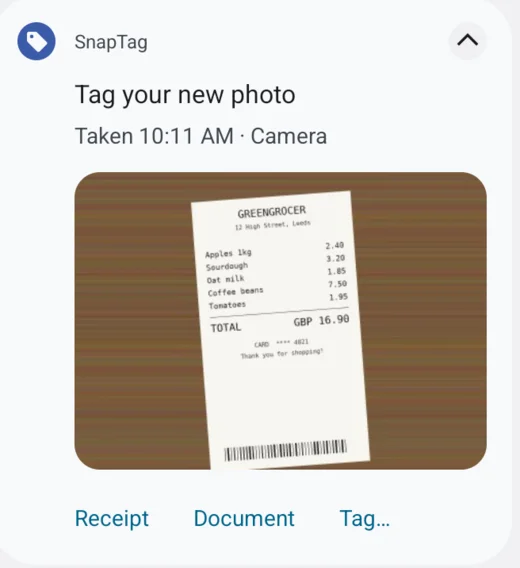
    A notification shows your most used tags. One tap and it is tagged, without opening the app.

    SnapTag notification: Tag your new photo, with a receipt photo and the buttons Receipt, Document and Tag.
  3. Find it later

    Anything you skipped waits in your inbox, newest first. Swipe through it in review mode and clear it in a minute.

The quick-tag sheet

Tap any photo and a small sheet slides up. Your pinned and recent tags come first, so most photos take one tap.

  • Type to filter your tags, or press Enter to create a new one
  • Select several photos and tag them all at once
  • Starter tags on first launch, so it is useful straight away
Tag this photo sheet with a search field reading Find or create tag, tag chips for Family, Receipt, To-do and Work, and an optional note field.

Notes that stay with the photo

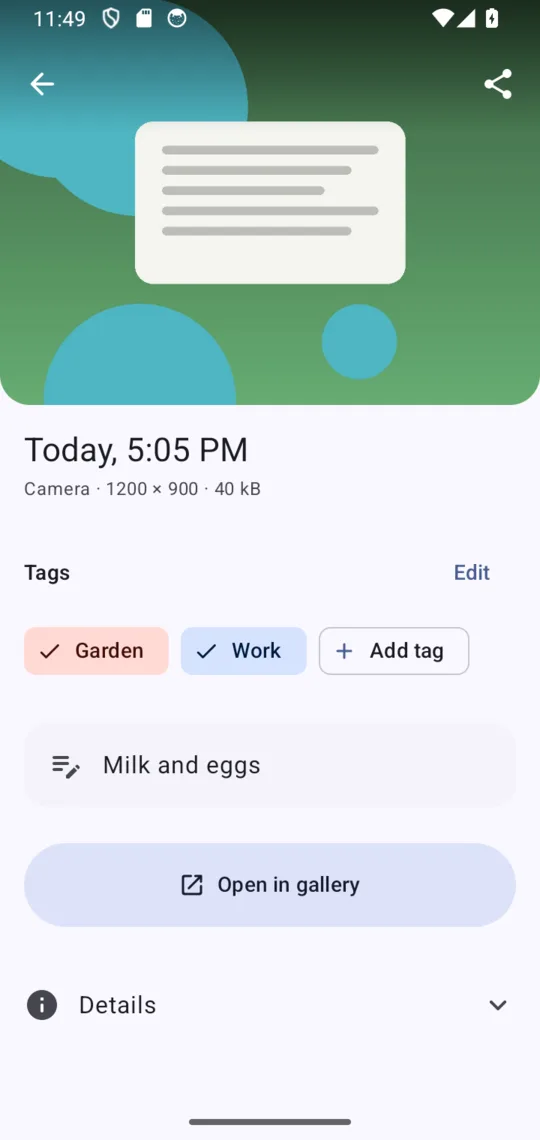
A tag says what it is. A note says why you took it: milk and eggs, measure the shelf, ask Sam. Add one in the sheet or on the photo page.

  • Tags, note, date and the location saved by your camera in one place
  • Open the photo in your gallery or share it
Photo details: a photo with the tags Garden and Work, the note Milk and eggs, and an Open in gallery button.

Review mode for the backlog

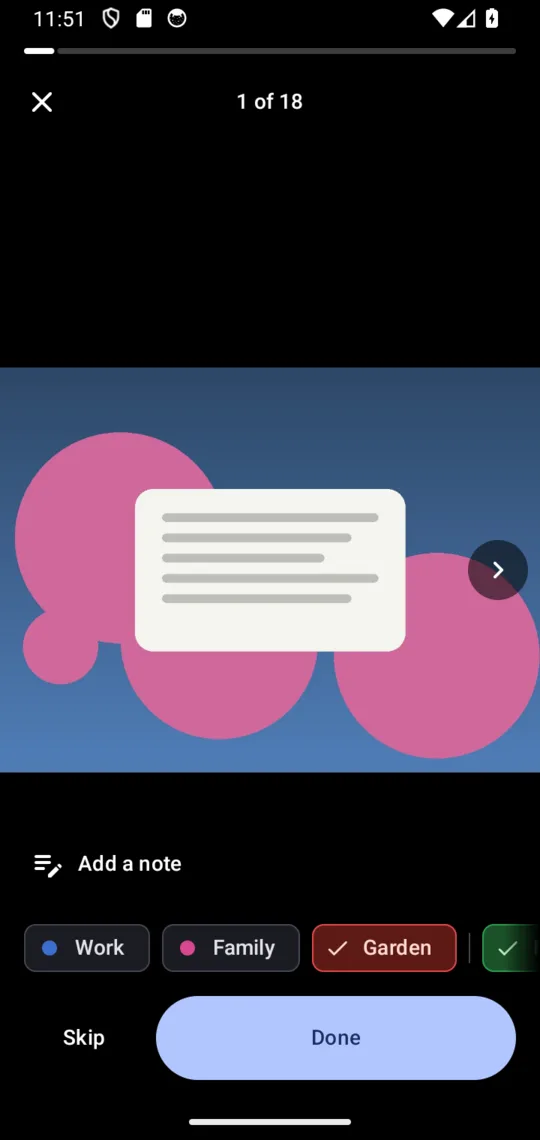
Got a few dozen untagged photos? Swipe through them full screen. Tap tags, skip, or add a note. Each photo leaves the inbox the moment you tag or skip it.

  • A progress bar shows how far you have got
  • Your tags sit within thumb reach on a single row
Review mode: a photo shown full screen, 1 of 18, with a row of tag chips and Skip and Done buttons.

Bursts become one notification

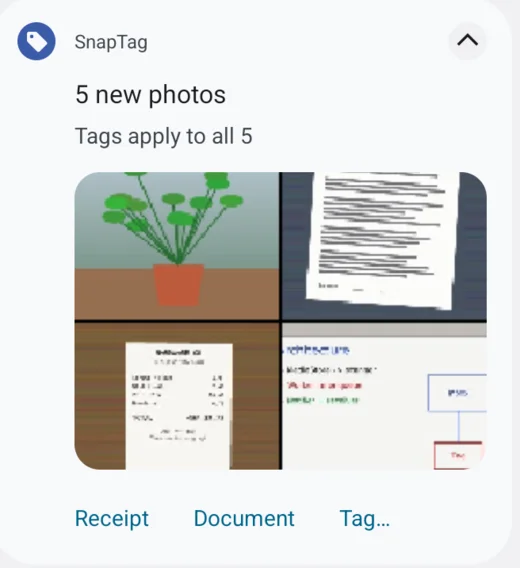
Photographed a whole shelf of paperwork? Photos taken close together are grouped, so one tap tags them all and your notification shade stays tidy.

  • Choose how many tag buttons to show, from 0 to 2
  • New-photo notifications never appear on the lock screen
SnapTag notification: 5 new photos, Tags apply to all 5, with a collage of the photos and the buttons Receipt, Document and Tag.

Find it later

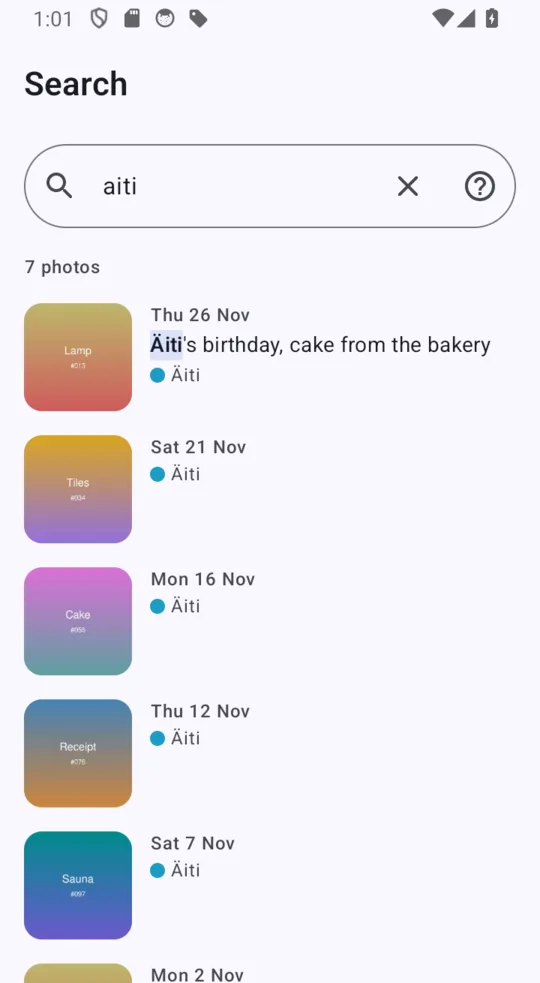
Search across tags and notes, or keep a smart album for the photos you look up again and again. The Library tab holds your albums and a tag manager.

Search results for aiti: 7 photos, each with its date, tag and a note snippet with the match highlighted.
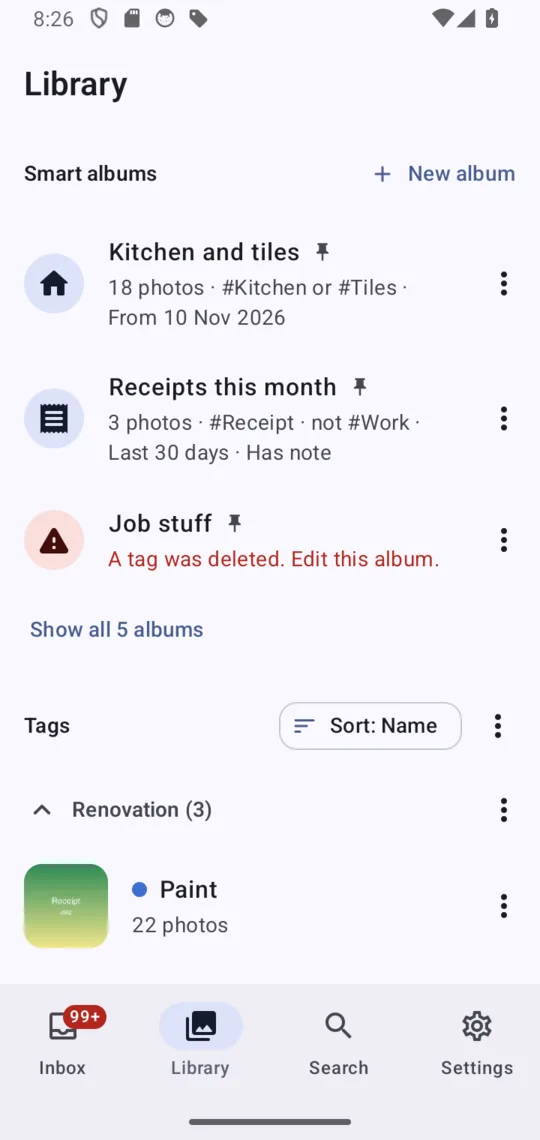
Library: pinned smart albums Kitchen and tiles and Receipts this month, followed by the tag list with a Renovation group.

Easy on the eyes, day or night

SnapTag follows your phone: Material You colours on Android 12 and later, light or dark to match your system.

Inbox in light theme.
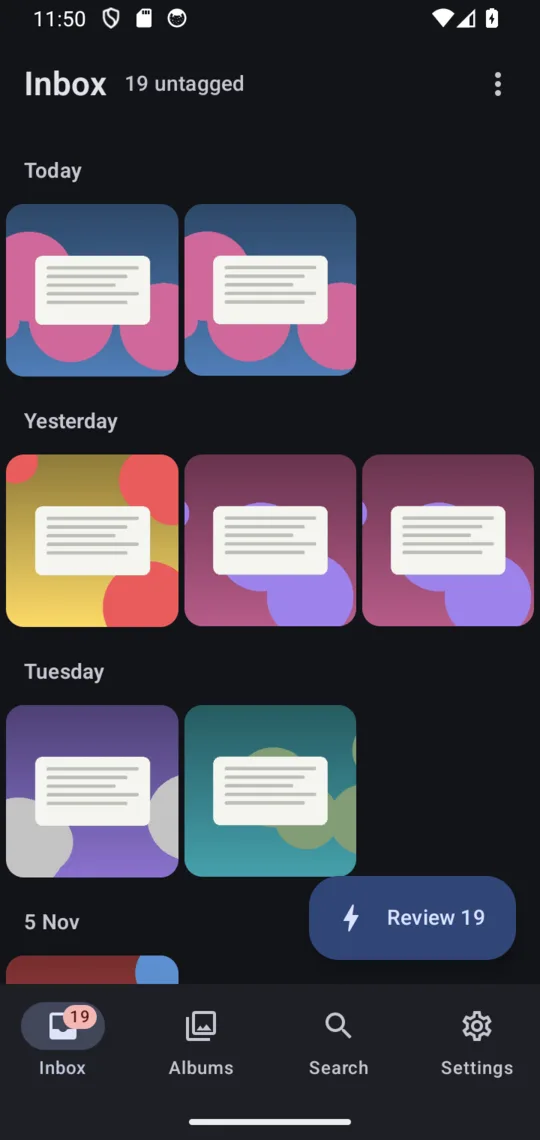
Inbox in dark theme.

And the details

Camera photos only

Screenshots stay out unless you include them in settings.

Choose your folders

Decide which folders SnapTag watches for new photos.

Selected photos works too

On Android 14 and later you can share only some photos. Automatic detection needs full access.

Search that understands tags

Type #receipt, leave one out with -#work, quote a phrase or search the words in your notes.

Smart albums

Save a search as an album: tags (any, all or none), a date range, with or without a note. Pin it to your inbox.

A tag manager

Rename, recolour, group and merge tags, and delete one safely: Undo brings it back.

Project timeline

Open a tag and switch to the timeline: your photos by day, with their notes underneath.

Take & tag

A home screen widget or app shortcut opens the camera and the tag sheet right after the shot. SnapTag needs no camera permission for this.

Coming later

An optional export and writing tags and notes into the photo files themselves. In active development.

Private by design

Your photos are nobody's business but yours. SnapTag is built so it cannot share them, even by accident.

No internet permission

The app cannot go online. Photos, tags and notes never leave your phone.

No account

Open the app and start. Nothing to sign up for.

No ads, no analytics

No trackers, no ad networks, no tracking of any kind.

Your photos stay put

SnapTag only adds tags and notes. Android backup is off, so they stay on this device.

Read the privacy policy

Tag it before you forget it.

SnapTag is coming soon to Google Play.

Coming soon to Google Play

Questions or ideas? pv9786@gmail.com